So there’s a couple of different ways to post Youtube videos with Canvas. I like to use Youtube for any video I make because it actually does the closed captioning for you, which helps keep everything in compliance with school policy. Granted, you have to go back and fix parts, but overall, it’s pretty great.
So let’s talk about the easy way — direct linking.
If you go to one of your modules and hit the little + button (add), you’ll be taken to a menu where you can select what you want to add. For direct linking, you have two options. The first option is the ‘External URL’, which is shown in the picture below. Click it, fill in the URL for your video, then name the page. You can also select whether or not clicking the link takes you to another page. Easy.
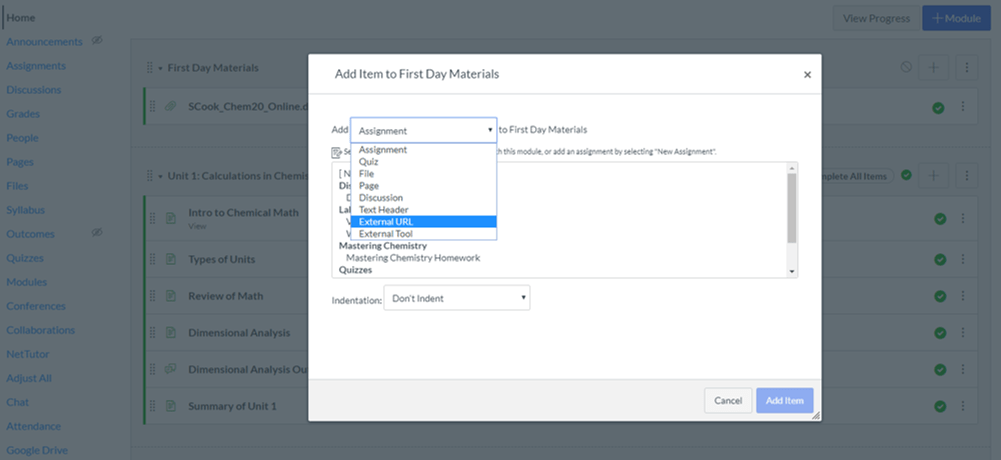
A similar way is to select ‘External Tool’ and you’ll get a drop down menu. Way at the bottom, you can find Youtube. This is useful if you want to search for the video instead of knowing the URL. Fill out the rest and you’re done.
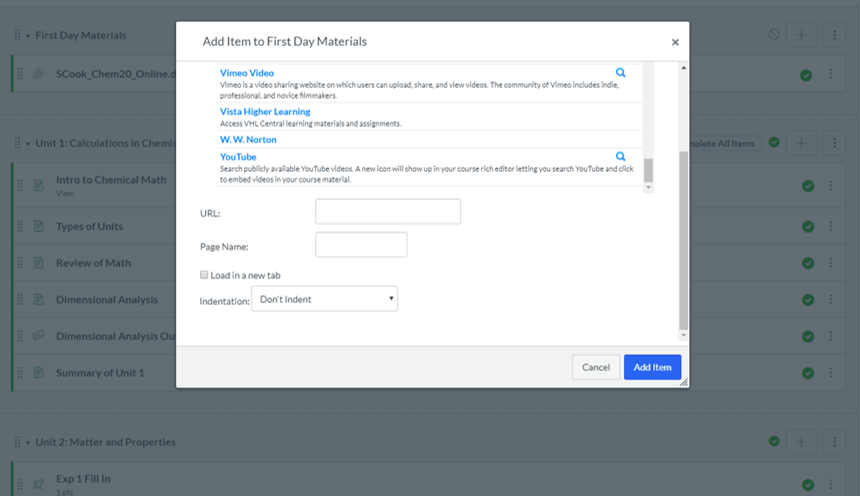
This is an effective way to get your videos into your Canvas site, but it does force you to leave Canvas. I prefer to put my videos into Pages.
But putting your videos into Pages, you can keep your students on your Canvas site. Additionally, you can add information before or after the video in order to aid their understanding. To do this, simply hit the + button again, but this time, select Page. Highlight the [New Page] option and add a name.
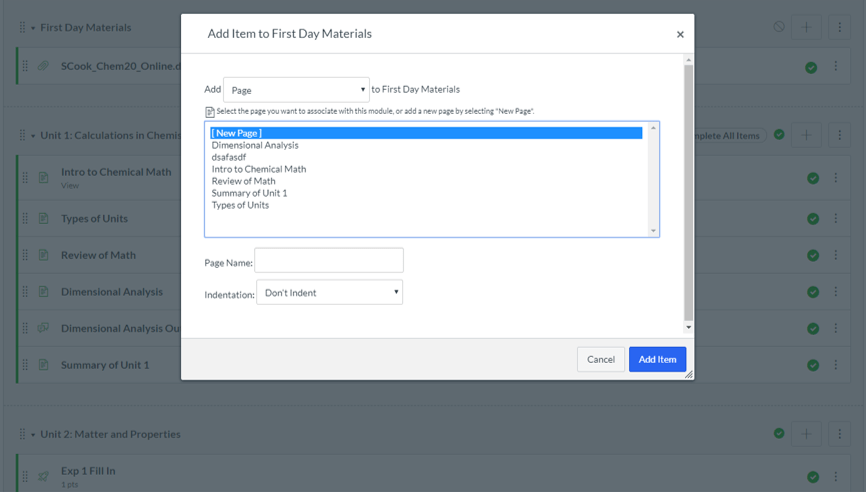
Now, this won’t immediately take you to the editor. It will simply create the page in the Module you selected. Go to the page, in the upper right hand corner, click Edit. Once into the edittor, there are two ways you can add your Youtube video:
1. The Insert Media button (this is the one I use).
2. The Youtube button.
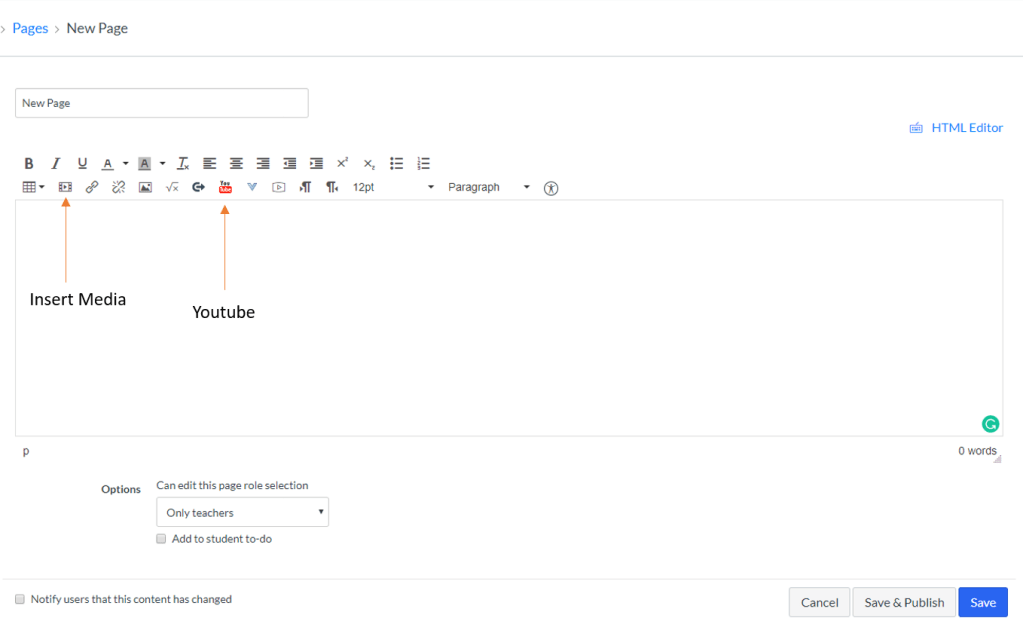
Using the Youtube button takes you the option to search videos. Since I usually have my own URL, I use the Insert Media button.
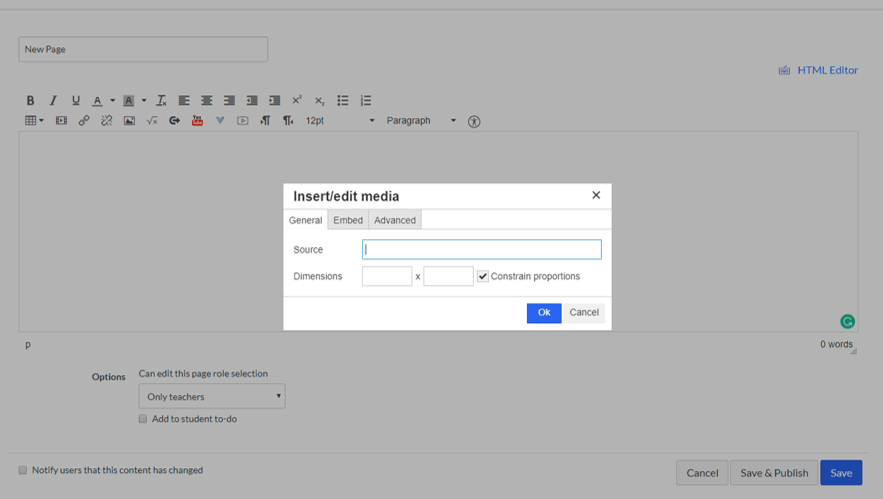
From here, I can punch in my URL and edit the dimensions of the video so that I can make it larger or smaller. Once I’ve set the video up, added any text information I want to, I hit Save & Publish and its off to the races!
 The Canvas Cookbook
This is so helpful! As a learner familiar with learning management systems I appreciate this attention to detail.
LikeLike
Being able to incorporate videos into learning is so important as it helps teachers with incorporating different modalities of learning. Although I have used Canvas before, I have never used it as a teacher and therefore, find your posts insightful.
LikeLike