So in the sciences, we are often required to show our work. Maybe for students it will involve partial credit, or maybe you just need a way for them to show their work so you can figure out if they are copying or not.
So with the move to many classes online, how the hell are you going to be able to check people’s work?
Well, I was sitting with two of my co-workers yesterday and I think we may have come up with a solution for that.
We have to make an assumption here — that all of your students have cell phones. If not, they are going to need to use a scanner of some kind. It’s a big assumption, but I feel like it’s a safe one.
Step 1: Get your students to download Genius Scan. Its on both Apple and Android products. And it’s free!

This program allows you to use your phone to make PDFs and can be done in batch modes! So they can take pics of everything they got and send it in one PDF.
Step 2: Go make a Quiz with instructions. Quizzes are everything in Canvas — tests, quizzes, surveys, practice, homework… whatever. They are all just called quizzes. Make one, click on the hyperlink and get into it.
Step 3: After putting in directions, click on Questions.
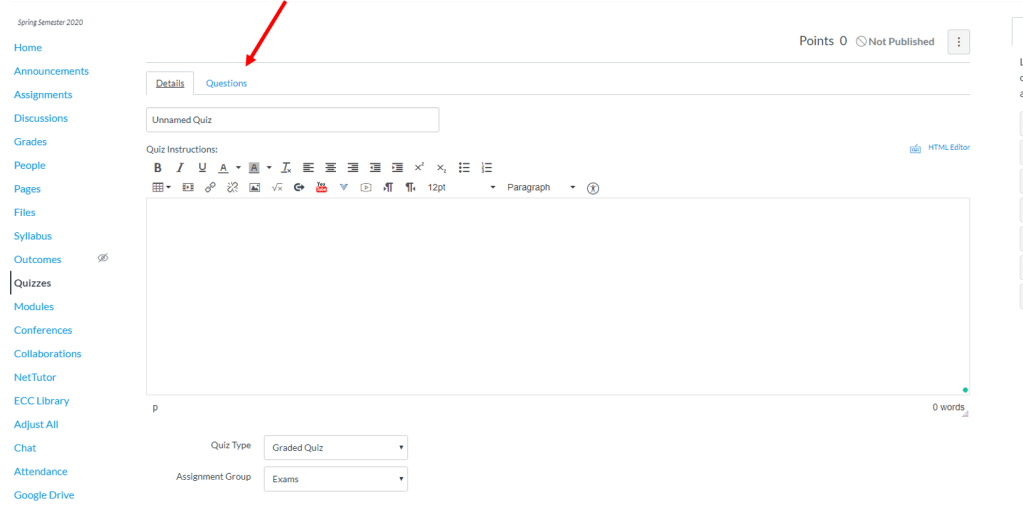
Step 4: Add a question.
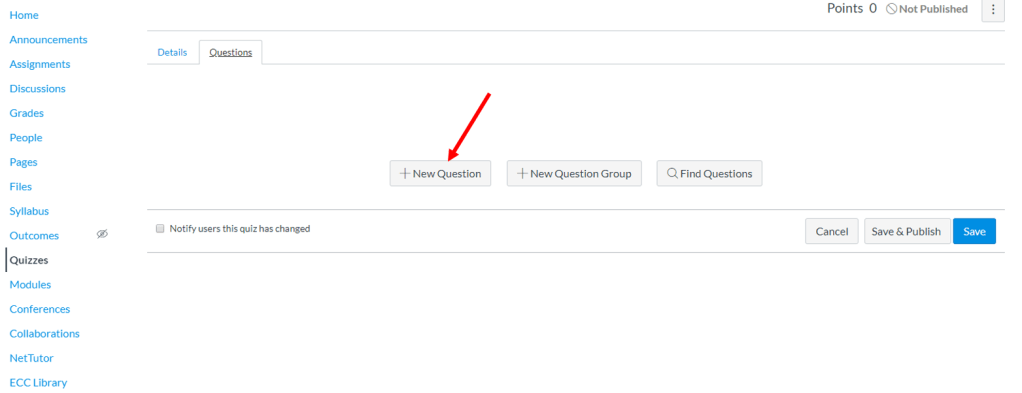
Step 5: Click on the drop down box and select File Upload Question.
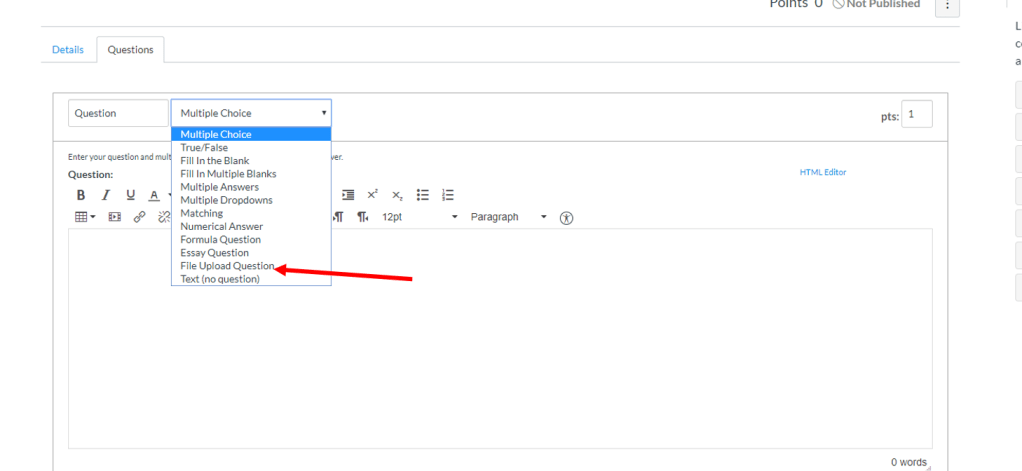
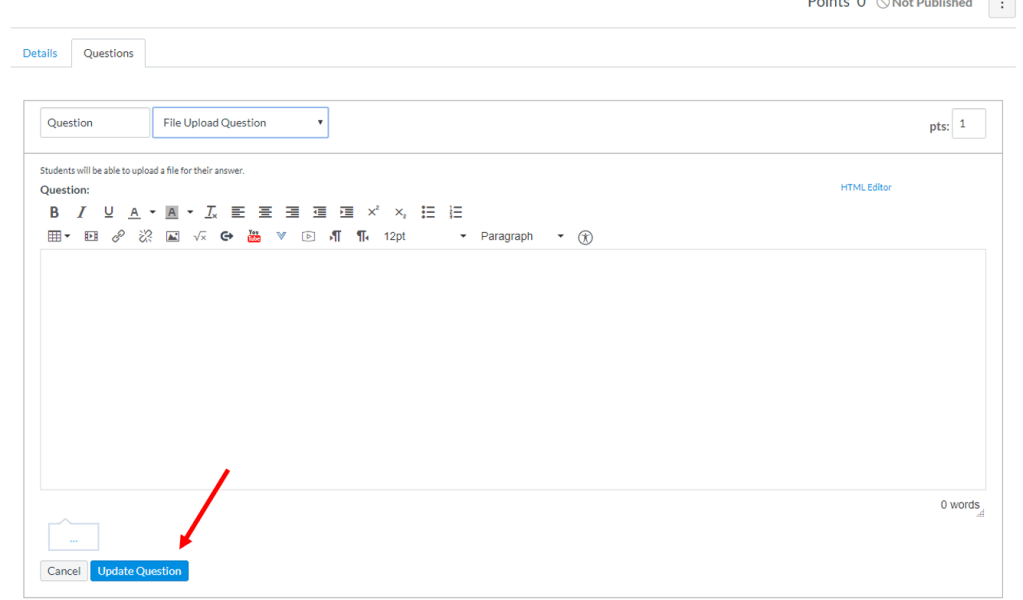
Step 6: Put in directions for the question and make sure to click UPDATE QUESTION before Saving. You have to save Quizzes each time you edit.
Students can then use Genius Scan to take pics of their homework, and then upload it directly to Canvas via the Quiz from their phone! How cool is that?!?!
YOU KNOW WHAT’S COOLER? Having a supply of toilet paper. But aside from that, THIS!
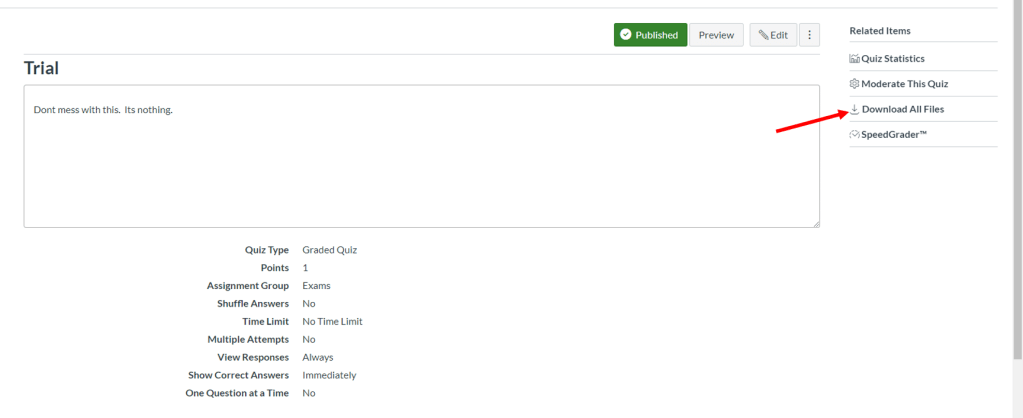
When the due date is up, go to the Quiz. In the upper right hand corner, there is an option to Download All Files *weeps profusely with joy*. You can get ahold of everything people submit. How… freaking… great… is… that?!?!?!?!
The next post will likely be some simple stuff. I plan to throw up a couple of things like organizing using Modules, Quiz basics, using Test Banks, etc.
 The Canvas Cookbook